ImageSVG

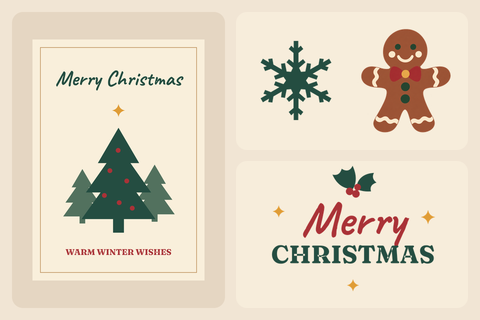
Gingerbread person

Compare the transparent original with the actual conversion before you resize or recolor it.

PNG / JPG / WebP / GIF / BMP · up to 20 MB each

Connecting…

Examples
Your images
    OriginalLogo
    Original image
    SVG
    Converted vector

    Gingerbread person ↗


    Gingerbread person — Original image
    PNG · 1254 × 1254
    Gingerbread person — Converted SVG
    Converted SVG · 83 shapes

    Compare the transparent original with the actual conversion before you resize or recolor it.

    Open example

    About these files

    Original format
    PNG
    Original dimensions
    1254 × 1254
    Conversion setting
    More detail — fine marks
    Image purpose
    Illustration (ClipArt)

    What to check in this example

    1. Put a dark rectangle behind the SVG, then a light one. The background should be visible through the intended cutouts.
    2. Inspect the narrow openings and the wave edge for pale fringes or closed gaps.
    3. Compare the original PNG in the same way. A checkerboard saved into the image remains visible on both backgrounds.

    When to use the result

    Use this check to distinguish real transparency from painted white or a checkerboard screenshot. Conversion preserves existing transparency; it is not an automatic background-removal step.

    Read the related explanation →
    Resources

    How it works

    01

    Choose an image

    Choose a clear logo or drawing. Use the original file if you have it, rather than a small screenshot.

    02

    Preview SVG

    Sign in and convert. Zoom in to check letters, corners and small gaps against the original.

    03

    Download

    Download the SVG. Open it in the app where you plan to use it and check that it looks right.

    Pricing

    Everyday free

    $0

    • 15 free conversions per month · 3 per day
    • One image per conversion
    • SVG export only
    • All three curve styles
    • No watermarks
    Try it free ↗

    7-day pass

    $4.99

    • Unlimited images for 7 days
    • Up to 40 images per batch
    • SVG / PDF / EPS / DXF download
    • Download your batch as a ZIP
    • All three curve styles
    • No watermarks
    • No auto-renewal

    Monthly subscription

    $9.99 per month

    • Unlimited images
    • Up to 40 images per batch
    • SVG / PDF / EPS / DXF download
    • Download your batch as a ZIP
    • All three curve styles
    • No watermarks
    • monthly auto-renewal · cancel anytime

    By continuing to checkout, you agree to the Terms. Payments are final and non-refundable except as stated in the Terms or required by law. Terms

    Fair use

    FAQ

    Is the SVG really editable?

    Yes. Open the SVG in a vector editor such as Figma, Inkscape or Illustrator to change shapes and colors. Letters from the image become shapes: to change a word, type it again in your editor. Some effects may look different between apps.

    Will every image look perfect?

    No automatic tracer can guarantee perfection. This tool suits icons and logos, not photos. Tiny text, touching shapes, shadows and textures may need manual edits. Try a free preview before buying.

    Do you upload my image?

    No. Your image and SVG result are not uploaded to the cloud during conversion. Account authorization and quota records use only the necessary usage data. Feedback you choose to submit is uploaded separately.

    How long are files kept?

    Your images and results stay in this browser for 24 hours. Download them in time, or upload the original again after they expire.

    Convert

    Confirm conversion

    Adjusting and exporting again uses no additional image allowance.

    Export

    Converting…

    0%

    Where did you hear about ImageSVG?